Give the work a place to begin.
Keep a campaign, client brief, launch, or content series in its own project so the work stays considered and easy to return to.

How Voccal works
Bring the product, message, or point of view. Voccal brings the script, voices, visual direction, and finished piece into one focused workflow.
One continuous workflow
The Voccal workspace
Projects hold the story as it takes shape: the mode, title, aspect ratio, script, voices, and the renders you want to keep.
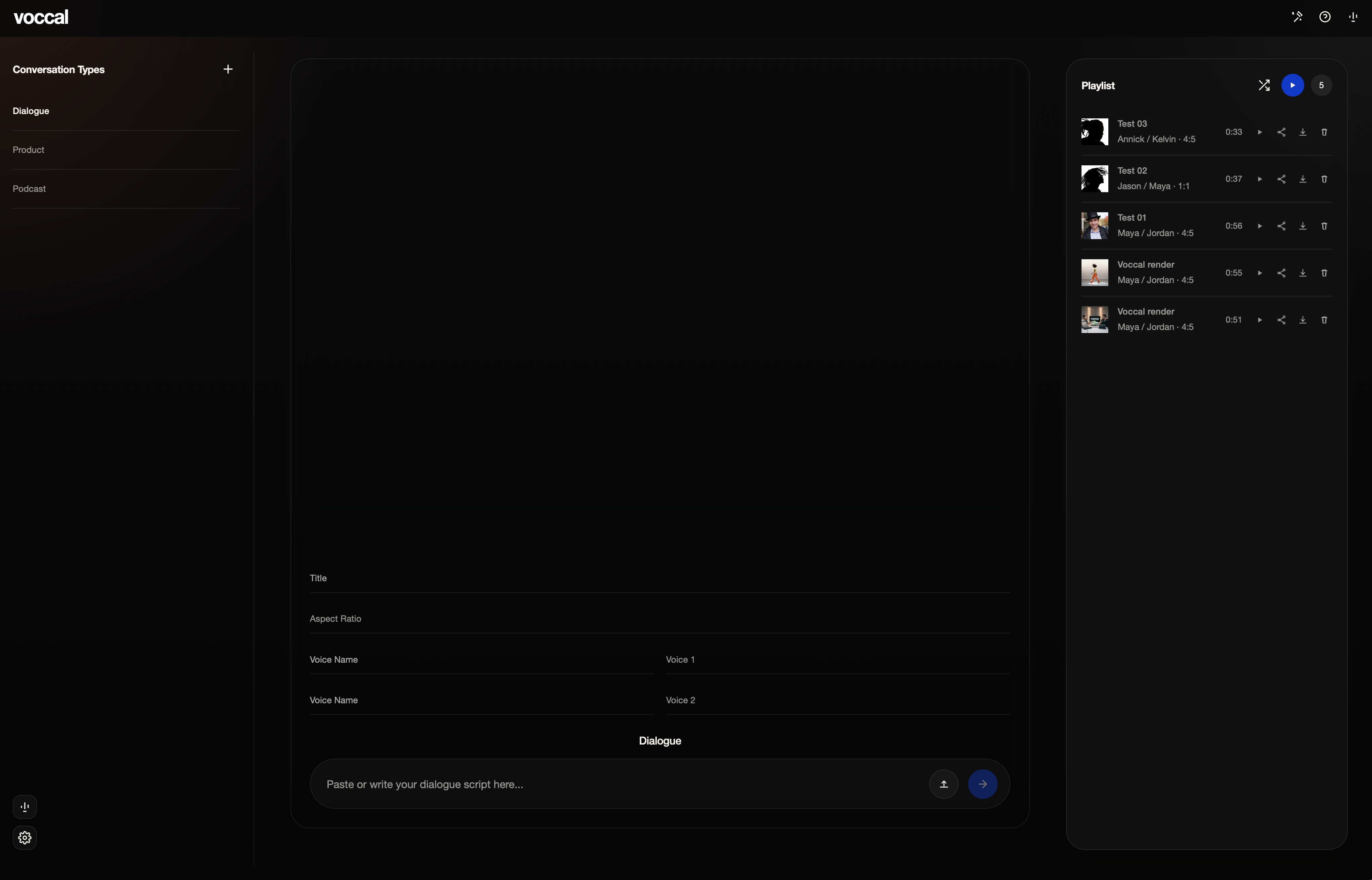
The process
Keep a campaign, client brief, launch, or content series in its own project so the work stays considered and easy to return to.
Choose the format that fits the idea: a direct product story, a conversation, an editorial episode, or a visually led piece.
Write or paste the script, add the visual direction, set the title and aspect ratio, then make the details feel intentional.
Select the voice or voices that fit the delivery. Dialogue lets two speakers trade lines; every mode gives the story its own tone and pace.
Launch the render, save the strongest work to the playlist, replay it with the team, and download or share it when the piece is ready.
Start with whatever anchors the piece: a product, a launch idea, a campaign brief, a point of view, or a working script. Voccal gives that material a single place to develop.
Choose by delivery style. Dialogue is for two-speaker exchanges, Product for direct benefit-led stories, Podcast for host-style editorial delivery, Documentary for cinematic narration, and Presentation for visually led pieces.
Yes. Paste or write a script in the workspace, then set the visual direction and aspect ratio that fit the intended placement of the piece.
Yes. Select the voices that fit the story. Dialogue is designed for a two-voice exchange, while other modes let the delivery follow the needs of the piece.
Finished renders stay with the project. Save the strongest work to the playlist to replay and compare it, then download the file or use a share link when it is ready for review.